Clean, readable text from AI responses
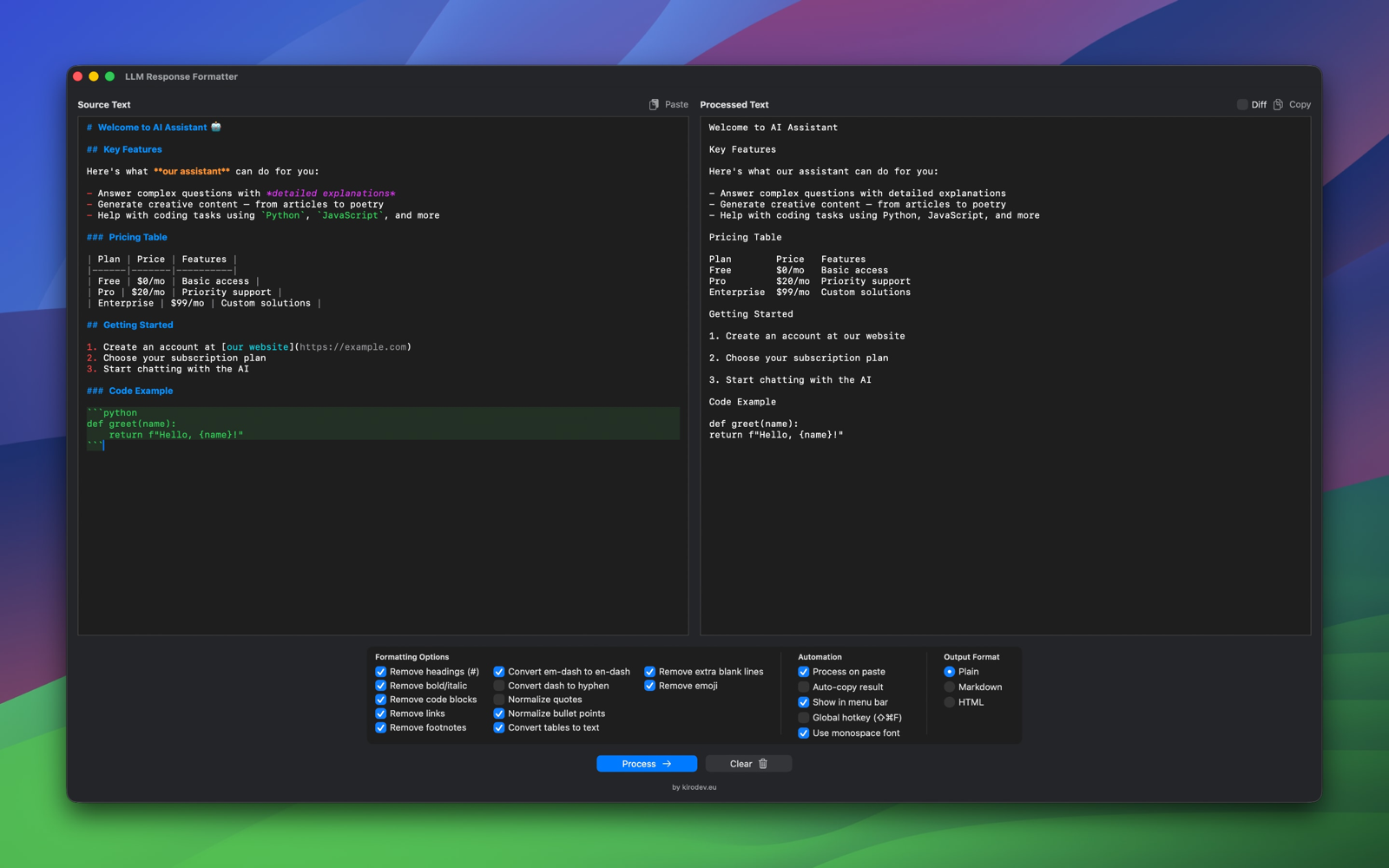
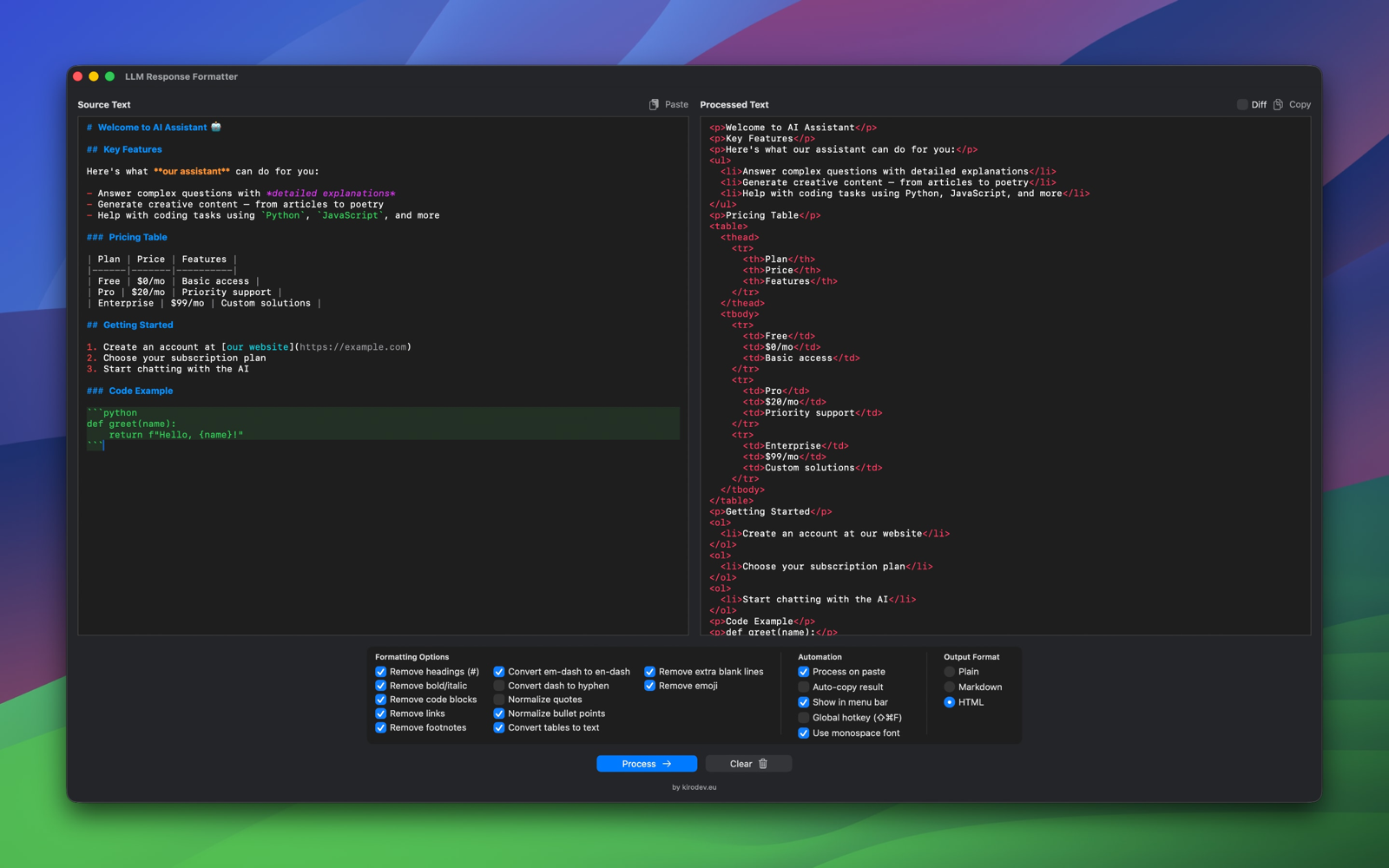
Transform messy AI responses from ChatGPT, Claude, and Gemini into clean, professional text. Remove Markdown, convert tables, normalize quotes and dashes, strip emoji and footnotes — all with a single click. Includes global hotkey, menu bar mode, diff comparison, and automation features. 100% private, works offline.
Version 1.1.0
From cluttered AI output to clean, professional text in one click
## Getting Started Here's how to **set up** your project: 1. First, run `npm install` 2. Then configure your `config.json` 3. Finally, execute `npm start` **Note:** Make sure you have *Node.js* installed.
Getting Started Here's how to set up your project: 1. First, run npm install 2. Then configure your config.json 3. Finally, execute npm start Note: Make sure you have Node.js installed.
Copy text from ChatGPT, Claude, Gemini, or any AI assistant
Click Paste or use Cmd+V in the source panel
Configure options and click Process or press Cmd+Return
Click Copy to get the clean, formatted text
Real-time Markdown and HTML syntax highlighting in both source and output panels with color-coded elements.
Export to Plain text, Markdown, or HTML. Perfect for different workflows and destinations.
All processing happens locally on your Mac. No internet connection required. Your data never leaves your device.
Toggle specific formatting options on or off. Remove only what you need while keeping the rest intact.
Switch between system font and monospace for better code readability. Your preference is saved automatically.
Automatically detects content type and applies appropriate syntax highlighting for Markdown or HTML.
Clean text without any markup. Perfect for pasting into documents, emails, or any plain text context.
Keeps Markdown syntax intact. Useful when you want to preserve some formatting for Markdown-compatible platforms.
Converts Markdown to HTML tags. Great for web content, rich text editors, or CMS platforms.
LLM Formatter removes Markdown formatting from text copied from AI assistants like ChatGPT, Claude, and Gemini. It strips headers, bold, italics, code blocks, and normalizes lists and spacing for clean, readable text.
Absolutely. All text processing happens locally on your Mac. No data is sent to any server. The app works completely offline and doesn't collect any information.
No. LLM Formatter works entirely offline. You don't need an internet connection to use any of its features.
Plain removes all markup for clean text. Markdown keeps the syntax intact. HTML converts Markdown to HTML tags for web use. The output panel shows syntax highlighting appropriate for each format.
The Process button is disabled when the source panel is empty. Paste or type some text to enable it.
Yes! Your formatting preferences (font choice, enabled options, output format) are automatically saved and restored when you reopen the app.

Use AI for brainstorming and research, then instantly clean the output for your blog posts, articles, or scripts without manual formatting cleanup.
Extract clean code explanations and documentation from AI assistants. Remove distracting Markdown when copying technical content.
Get clean, citation-ready text from AI research assistance. Perfect for notes, essays, and academic papers.
Transform AI-generated content into polished emails, reports, and presentations without formatting artifacts.